- Zendesk page, top right corner and click on the icon (highlighted in image below) and select Guide.

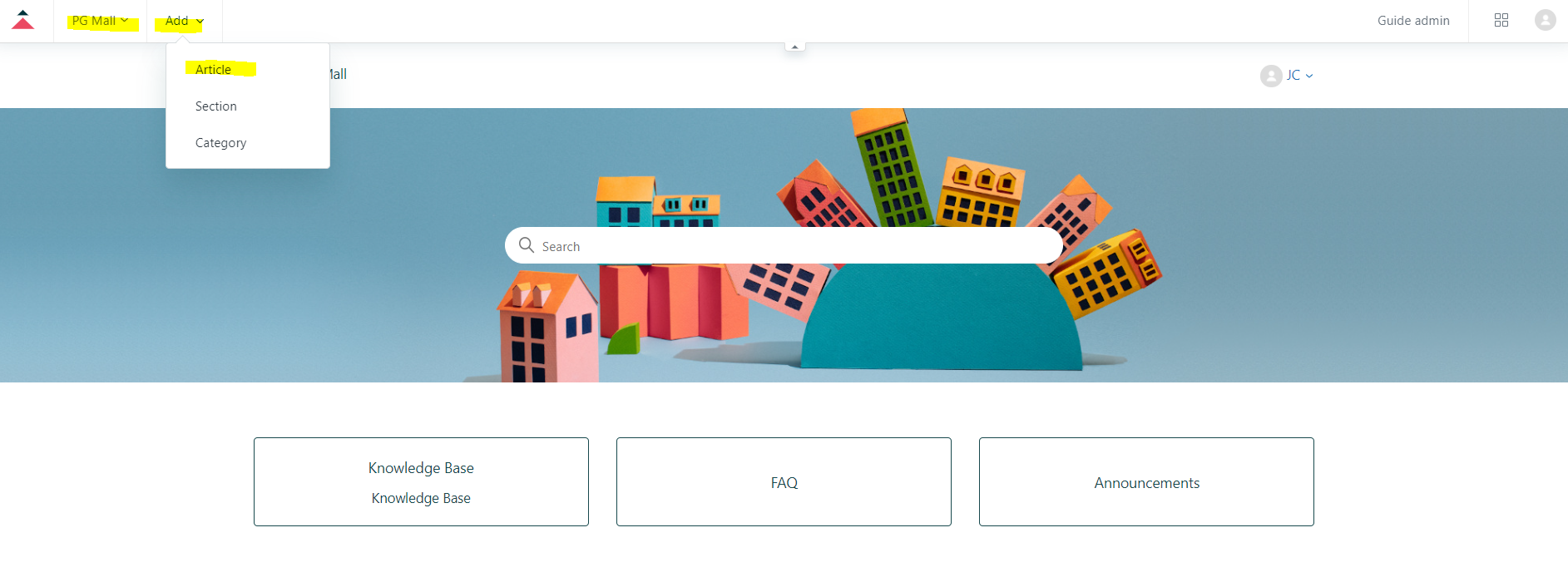
- Select PGMALL, click on ADD and select Article.
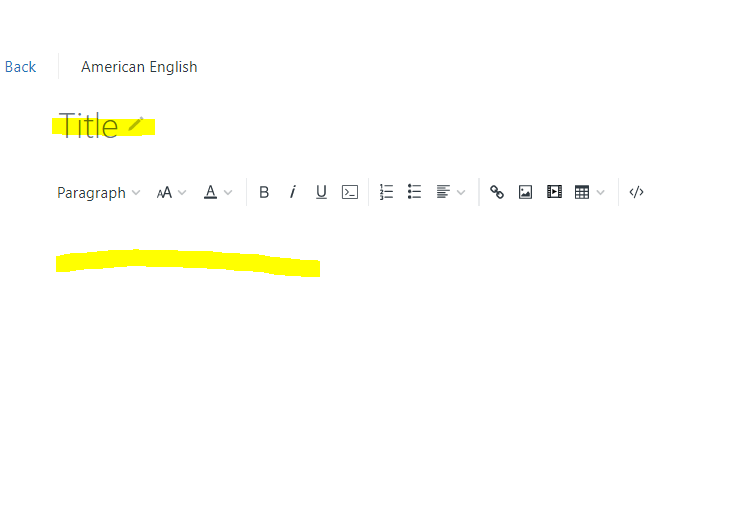
- Fill-in Knowledge Base title and details.
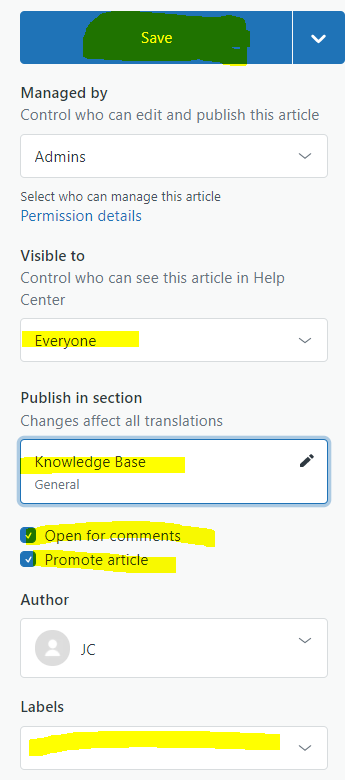
- Whenever finish editing, on right panel,
- Visible to change to Everyone
- click Public in section - General > Knowledge Base and click Select
- Tick Promote article
- Insert the keywords in Labels section, so people can easily find your article.
- Once Done, click on Save. Wait approval from JC / ZhaoShen for your article.
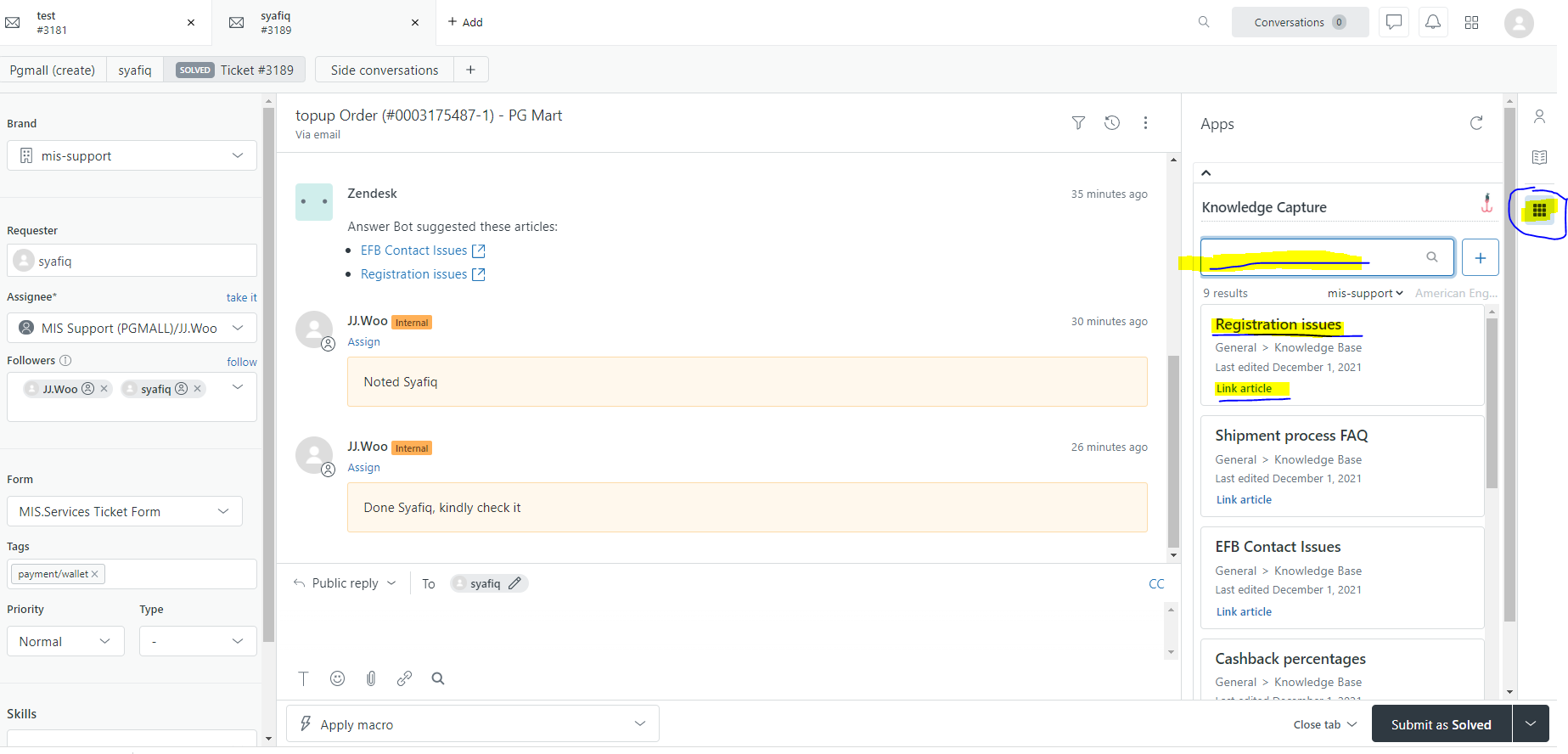
- You can view your created knowledge base (once get approved), on the incident page.
- You can search it and open the knowledge base from the incident page. You can link it to your incident too !
How to create Knowledge Base

Comments
0 comments
Please sign in to leave a comment.